
NetShareMonitor is the security tool to watch your shared files from the intruders and to protect your shares from unauthorized access. As soon as remote user connects to your machine, NetShareMonitor detects it and displays information about that session. The session information includes remote host address, remote user name, list of accessed files and time of connection. Entire details pertaining to each session will be logged to file for future analysis.
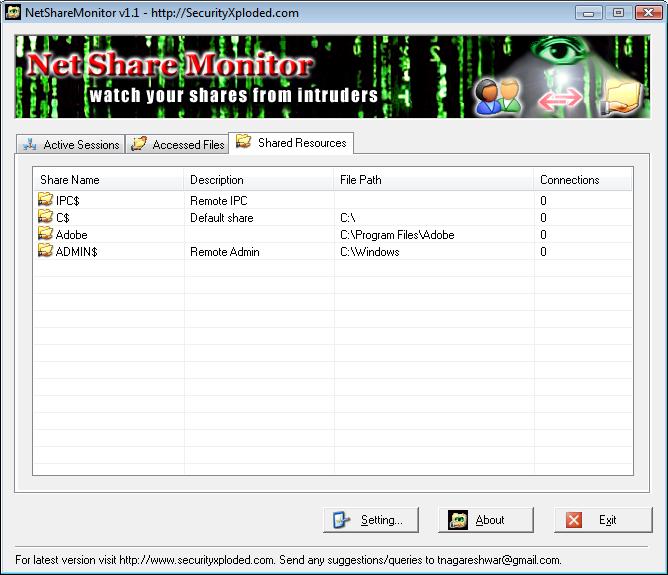
Now you no longer have to worry about your shared files being accessed by unknown persons on the network. Also it is very helpful when you are managing large networks in corporate or university environments.
For more details on NetShareMonitor visit the website here.
– Nagareshwar Talekar
What about fsmgmt.msc ?
It’s just the same thing for me….
NetShareMonitor is full fledged tool which will run in systray and alert you on any attack. That’s what it separates from the fsmgmt.msc. You don’t know when somebody will be running after you. Currently NetShareMonitor is in its basic version, it can just monitor and alert you. In future it will have automatic preventive mechanisms as well.
how u developed net share monitor, ie which language u used for developing. can i get source code or logic ?
regareds
S.Gopinath
It is developed in VC++ (MFC). Its freeware, hence the source code is not available.
Thanks for your Reply. now i am trying same application in C#.net. i got partial output. Can u tell me the logic i.e. which lib function or dll file for using ?
thanks and regards
S.Gopinath
It uses Windows Netapi (netapi32.lib) library . Look for API function which starts with net* in MSDN, such as NetSessionEnum, NetShareEnum etc.
This is multi threaded application which keeps on checking for any change and report it.
thanks ya i got solution in C#.net using NetSessionEnum.
regards
S.Gopinath
Is there any way that i can specify where the log file should be saved and can it be run as a service?
This is a great piece of software!
thanks,
Nathan
Current version does not support customize logging option. But new version which is currently under development will have it. Running it as service is the good feature. I will think if I can get it in the next version.
hey 🙂
its very point of view.
Good post.
realy good post
thx 🙂
Hi nagareshwar,
How are you? Just downloaded this application, amazing. Do you have new version of NetShareMonitor? Which win32 API did u use for this?
Man, can’t believe you have developed such applications.
Any new applications ?
Keep your work going.
Great tools – thanks!
Running NetShareMonitor as a service would be great. You can get similar results using Scheduled Tasks. With an administrative login, create a task that runs at system startup, and does not stop (default 72 hours). In the Run As field, enter the word system and leave the password blank. Next manually run NetShareMon and turn off the “run at system startup” and “play music” options. Note that ending this task does not end the executable; use TaskManager for that.
Running two instances at once (server, multiple remote-desktop logins) causes duplicate log entries. Run-as-service would make this less likely.
It would be nice to be able to exclude a list of folders to reduce log size. Maybe in next version? Thanks.
Currently new version of NetShareMonitor is under development which is taking more time than I initially expected due to growing feature list. Next version will have time stamp based html format logs which will solve logging problems.
Stay tuned for next version ..!