
ProcNetMonitor is the free tool to monitor the network activity of all running process in the system. It displays all open network ports (TCP/UDP) and active network connections for each process. It has advanced color based auto analysis system to make it easy to distinguish network oriented processes from others with just one glance at the list.
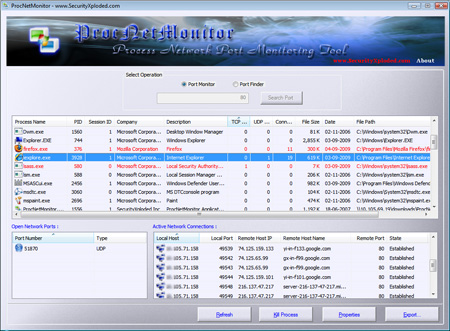
Newer version also presents unique ‘Port Finder’ feature which makes it easy to search for particular port in all running process with just one click. It also comes with export feature to save the entire process-port list to standard HTML file for offline analysis.
All these features combined together make it very effective tool in combating the Trojans and Spywares installed on the system which continuously send keyboard strokes, online account data and other sensitive information to remote server.
ProcNetMonitor works on all Windows platforms starting from XP to latest Windows 7 version.
For more information and to download ProcNetMonitor, visit the main website page here.
.
.
No Comments Yet